Cron Job Monitoring - Because Silent Failures Are the Worst Failures
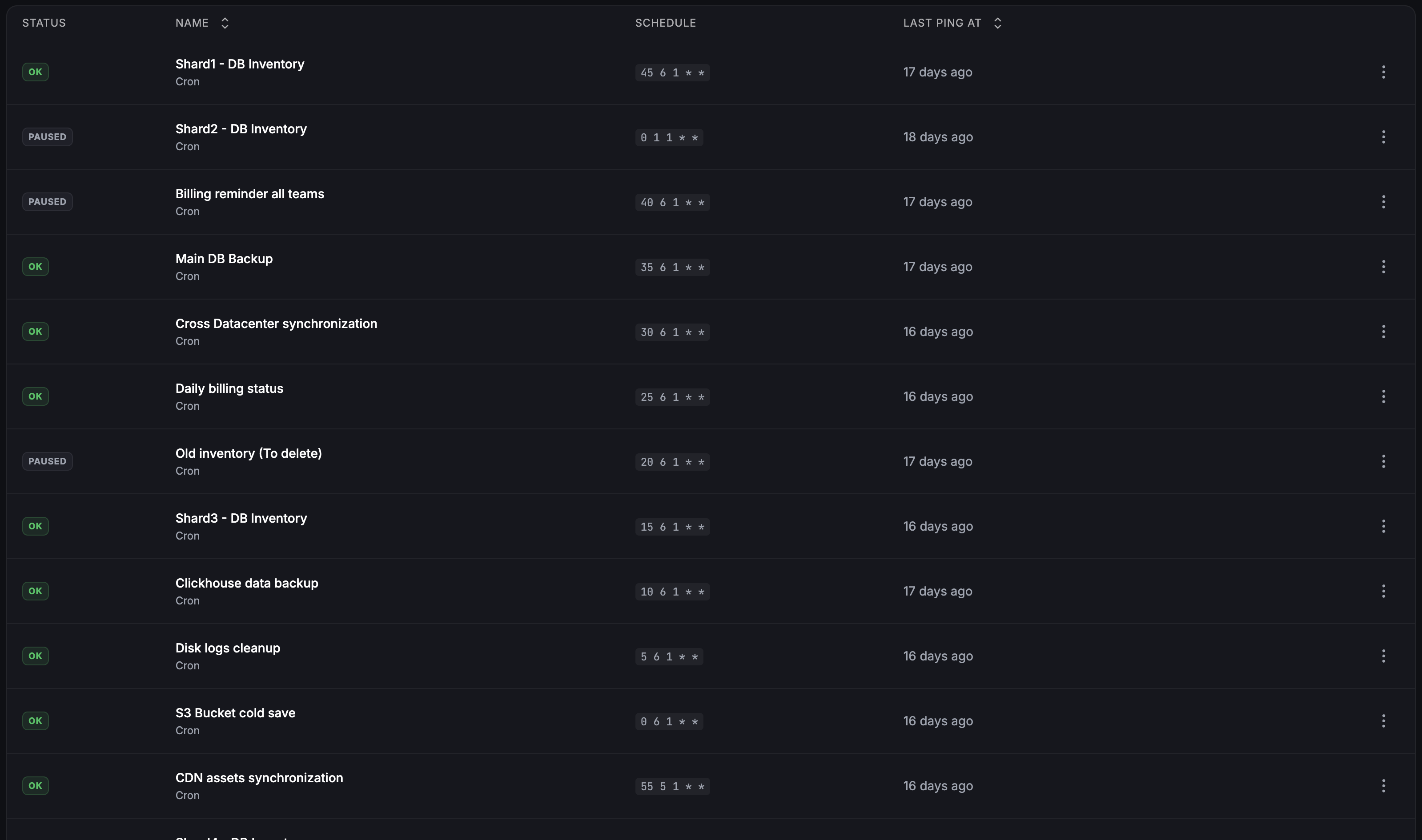
Your backup script ran every night for six months. Then it quietly stopped. Nobody noticed for two weeks. Fivenines expects a ping from every scheduled job - when one does not arrive on time, you hear about it instead of finding out from a restore that has nothing to restore.
Built for teams monitoring production infrastructure
No credit card · 2-minute setup
-
Missed Run Detection
Chain the ping so it only fires when your script succeeds. A job that crashes, exits non-zero, or never starts simply never pings, and the missing ping is what pages you. A script that catches its own failure can also POST to the task's /fail URL with a reason, and that reason lands in the alert.
-
Late Job Detection
Every job carries its own grace period. Run past it and the job is marked late and an incident opens - so you know before downstream systems start serving stale data.
-
Cron in Your Timezone, or a Fixed Interval
Describe the schedule as a standard five-field cron expression, evaluated in the timezone you pick so a daylight-saving shift does not turn 2 AM local into a false alarm - or as a fixed interval counted from the last ping, for jobs that just run every N minutes.
What Teams Typically Monitor
Database backups
pg_dump, mysqldump, mongodump scripts
SSL certificate renewal
certbot or acme.sh renewal jobs
Data sync jobs
rsync, rclone, or API-based sync scripts
Log rotation & cleanup
logrotate and custom cleanup scripts
Report generation
Scheduled analytics, billing, or compliance reports
Health checks
Internal scripts that verify service dependencies
Multi-Channel Notifications
How It Compares
| Approach | Setup | Missed-Run Alerts | Late Detection | Server Metrics |
|---|---|---|---|---|
| Check logs manually | None | |||
| Healthchecks.io | Per-job ping URL | |||
| Cronitor | Per-job ping URL | |||
| Fivenines | Ping URL | Built-in |
How It Works
your-backup.sh && curl -X POST https://fivenines.io/ping/<key>. The && matters: chained that way the ping only fires when the job actually succeeded, so a crash, a non-zero exit or a run that never started all look the same to Fivenines - no ping. Once the expected time plus that job's grace period passes with no ping, the task is marked late and a workflow opens an incident and notifies your channels. A script or a backup tool that knows it failed can also POST to the task's /fail URL with a short reason: the task is marked failed until the next successful ping, and the reason travels into the incident and the notification.Frequently Asked Questions
How does Fivenines monitor cron jobs? +
Can I monitor cron jobs on multiple servers? +
What counts as a cron job monitor in the pricing? +
Does it work with systemd timers? +
Can I set different alert rules for different jobs? +
Explore next
Related Features
Server Alerts
Set custom thresholds and get notified via email, Slack, Telegram, and more.
Explore ->Docker Monitoring
Per-container metrics for CPU, memory, network, and disk alongside your cron job tracking.
Explore ->Custom Dashboards
Visualize cron job health alongside server metrics in custom dashboards.
Explore ->Proxmox Monitoring
Monitor Proxmox VMs and track backup jobs on your hypervisor nodes.
Explore ->See how Fivenines compares to other tools
Read our guide to the best infrastructure monitoring tools in 2026.
Stop guessing whether your cron jobs ran
14-day trial. No credit card required.
No credit card · 2-minute setup · Cancel anytime
Learn more: What is a cron job in Linux · Cron Expression Generator